Build a Telegram Bot in Python in One Evening: Your First aiogram 3 Bot
By Daniel academy · July 23, 2026 · wc: ~6 min
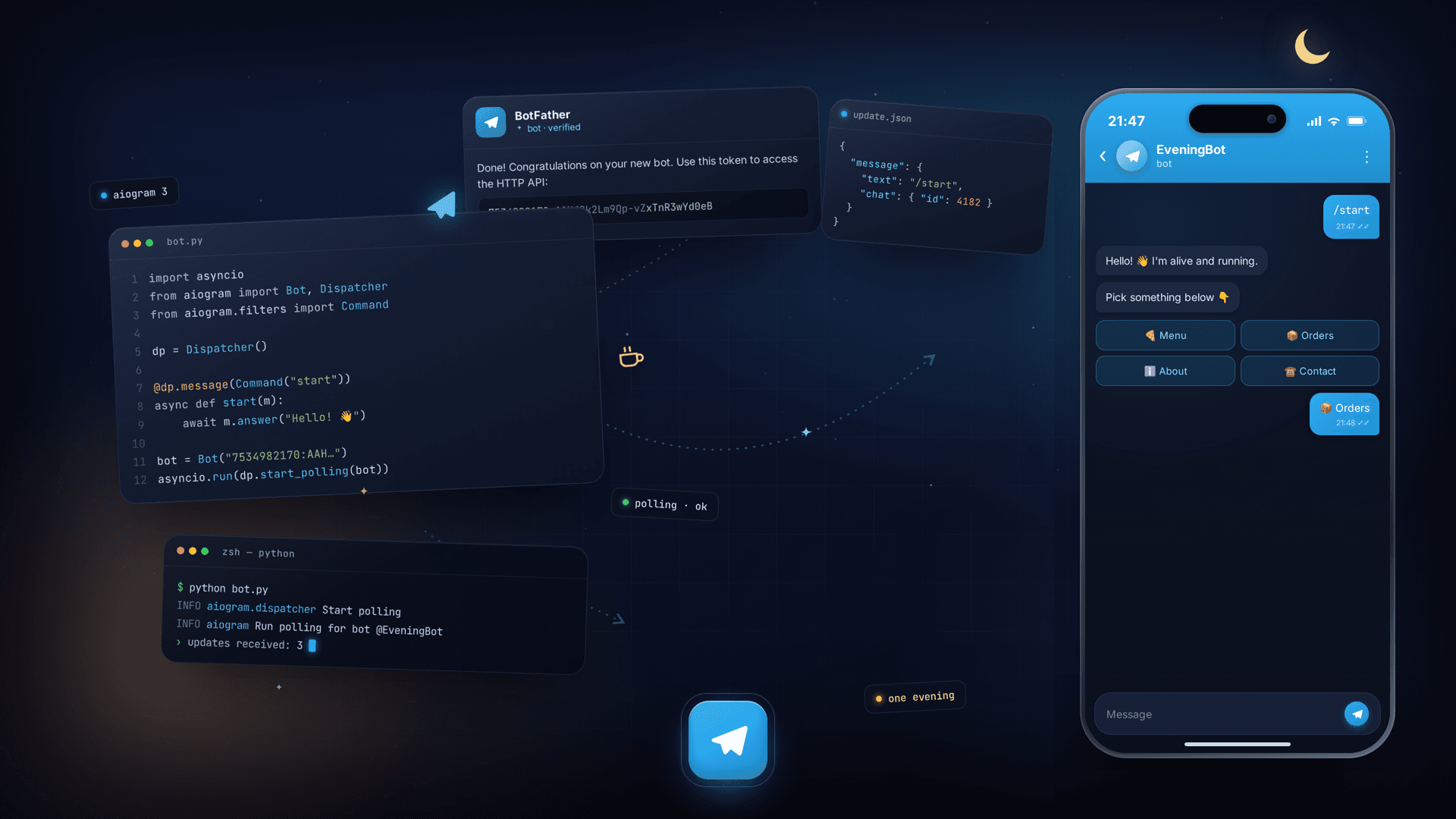
There is so much written about Telegram bots that you can drown in it. The trouble is that half of it just paraphrases the official docs, and the other half stops exactly where things get interesting. You copy the code, it even runs, and then you are left alone with the question of what to actually do next.
Let's do it differently. By the end of this evening you will have a living Python bot that answers commands and button taps, you will understand what every line does, and you will see an honest map of where it is easy and where real engineering starts.
One condition. You cannot learn Python from zero while doing this: if variables and functions are still a dark forest to you, put bots aside for a week and start with our free Python from scratch course. Come back prepared and everything below will click into place.
What you need
Not much:
- Python 3.11 or newer. Check with
python --version. - A Telegram account.
- Fifteen spare minutes and the wish to make something work today.
No servers, domains or clouds for now. The bot will live on your laptop, and that is enough to try everything out.
The token: meet BotFather
Every bot has someone who registers it, and that is not you directly but a special bot called BotFather. It sounds funny and works in the most ordinary way.
- Open Telegram and find
@BotFather(it has a blue checkmark, do not confuse it with impostors). - Send it
/newbot. - Pick a name (what people see) and a username (it must end in
bot, for exampleevening_test_bot). - You will get back a line like
123456789:AAeR7.... That is your token.
Treat the token like a password. Whoever holds it controls the bot. Do not push it to GitHub and do not show it in screenshots. If you leak it by accident, open @BotFather, type /mybots, pick your bot, open API Token and hit "Revoke current token". The old one dies and you get a new one.
A minimal bot that actually works
Install the library. aiogram is the most alive and modern framework for bots in Python, and we are taking its third version:
pip install aiogram
Create a file called bot.py and put this in it:
import asyncio

from aiogram import Bot, Dispatcher
from aiogram.filters import CommandStart
from aiogram.types import Message

TOKEN = "paste_your_token_here"

dp = Dispatcher()


@dp.message(CommandStart())
async def start(message: Message) -> None:
    await message.answer("Hi. I'm alive. Write me something.")


@dp.message()
async def echo(message: Message) -> None:
    await message.answer(f"You wrote: {message.text}")


async def main() -> None:
    bot = Bot(TOKEN)
    await dp.start_polling(bot)


if __name__ == "__main__":
    asyncio.run(main())
Run it with python bot.py, open your bot in Telegram, press Start and send a couple of messages. It answers. Congratulations, that is already a real bot.
Now let's unpack what is going on, because copying without understanding gets you nowhere.
Dispatcher is the dispatcher: it looks at incoming messages and decides which function should handle them. Functions with the @dp.message(...) decorator are called handlers. The first one catches the /start command, the second catches everything else and sends the text back.
The words async and await scare beginners for no reason. A bot does nothing most of the time, it waits for messages from many people at once. Async is a way to wait for many things at the same time without spinning up a separate thread for each person. For now it is enough to remember one rule: every trip to Telegram goes through await.
start_polling is polling: the bot asks Telegram "anything new?" in a loop and handles whatever arrives. It is perfect for a start and needs no setup.
Adding buttons
Text is fine, but buttons are what make a bot feel alive. Let's replace the /start handler with this one and add a tap handler for it:
from aiogram import F
from aiogram.types import (
    CallbackQuery,
    InlineKeyboardButton,
    InlineKeyboardMarkup,
)


@dp.message(CommandStart())
async def start(message: Message) -> None:
    keyboard = InlineKeyboardMarkup(
        inline_keyboard=[
            [InlineKeyboardButton(text="Tell me about yourself", callback_data="about")]
        ]
    )
    await message.answer("Hi. Tap the button.", reply_markup=keyboard)


@dp.callback_query(F.data == "about")
async def about(callback: CallbackQuery) -> None:
    await callback.message.answer("I'm a bot you wrote in one evening. Not bad for a start.")
    await callback.answer()
Here is a new thing: callback_query. When a person taps an inline button, Telegram sends not a message but a callback carrying the data we baked into callback_data. We catch it with a separate handler. The tiny await callback.answer() at the end removes the spinning clock on the user's side. Forget it and the button will look frozen. This is the first classic trap everyone steps into.
Where the evening ends and the work begins
Here is the honest moment the whole thing was worth it for. What you built answers messages but remembers nothing. And almost any useful bot is a conversation with memory: sign someone up for a class, place an order, run a survey step by step. That needs state (FSM in English, a finite state machine): the bot has to remember that a minute ago it asked for your name and is now waiting for the name, not for random text.
From here the list grows, and it is what separates a toy from a product:
- State and flows. The bot walks a person through steps and does not get lost, even when they answer off script.
- A database. For data to survive a restart, it has to live somewhere.
- Routers and structure. One file for the whole bot turns into mush faster than you would think, so the code gets split into routers.
- Deployment. While the laptop is closed, the bot is dead. To run around the clock it needs a server, and polling sooner or later gives way to a webhook.
- Load. You and three friends is one thing, five thousand people in the same minute is another.
None of these is scary on its own. What is scary is stitching them together from scraps of articles, each written for a different library version, half of them already stale.
If you want to walk the whole path in order, from your first handler to a bot that lives in production and does not fall over, we have a course on Telegram bots with aiogram 3. It is built the way you would explain things to a new developer on the team: through code, through the usual traps, and through the question of what happens when the users pile up. Every topic ends with practice the trainer checks the moment you run it.
For today, close the laptop feeling the evening was not wasted. You have a working bot, and you understand why it works. That is noticeably more than nine out of ten people carry away from the average tutorial.